
Your next buses, on your home screen
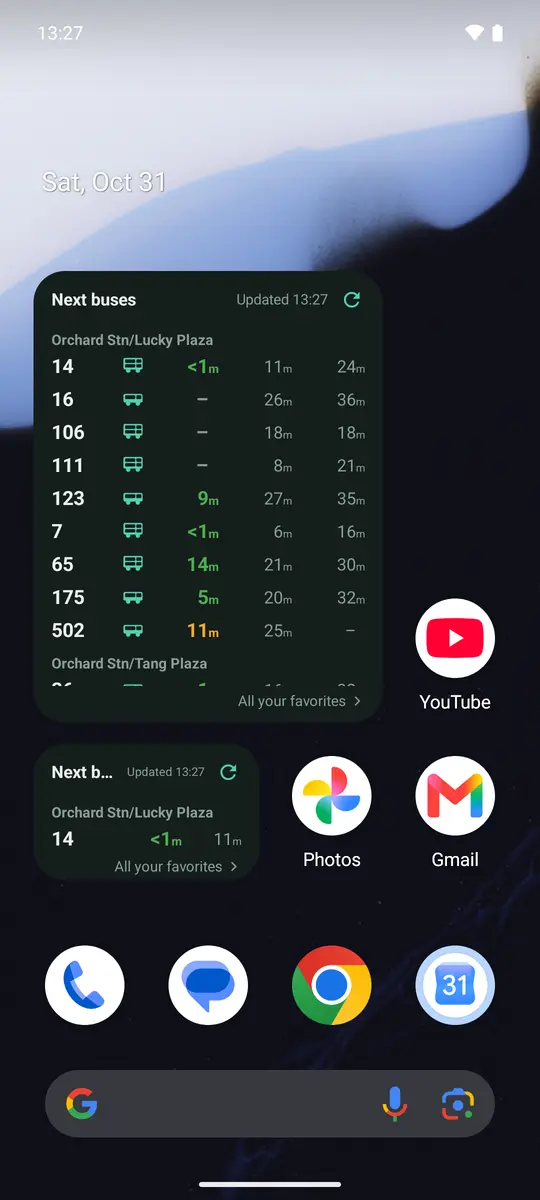
Add the SG GoFast widget and the arrival times of the buses you take sit on your home screen. Tap refresh and every time on the card shows when it was last checked, so you always know how fresh it is.
Free on Android and iPhone.
Set it up in a minute
Star your buses
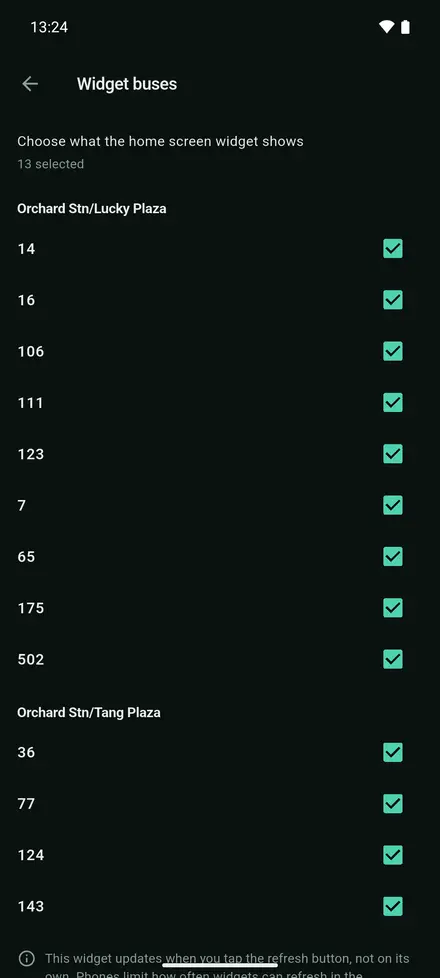
Tap the star on the buses you take. Starred buses go on the widget, and Settings > Widget buses lets you pick exactly which ones.
Add the widget
Long-press your home screen and add the SG GoFast widget: “Next buses” or “Next bus” on Android, or one of three sizes on iPhone.
Tap to update
Tap the refresh button on the card. Opening the app updates it too.
See it in the app
Choose the buses it shows
What it does, and what it doesn't
Every bus you picked
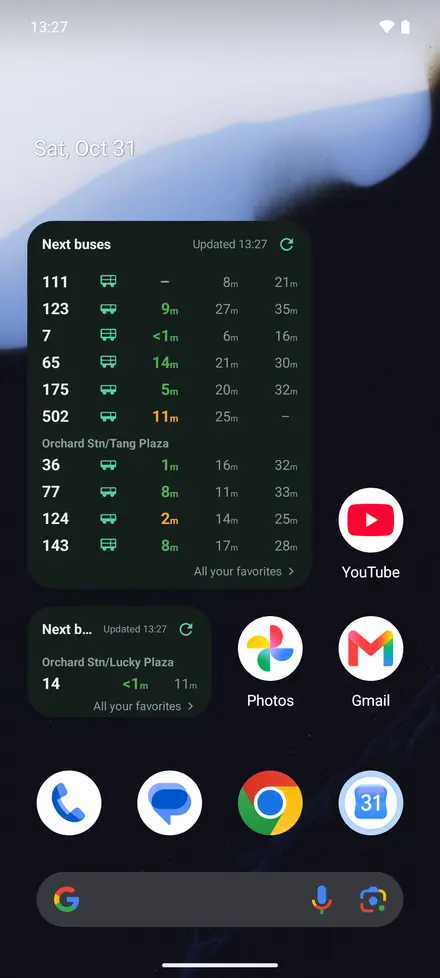
Buses are grouped by stop. When they do not all fit, scroll the card on Android or page through it on iPhone.
Updates when you tap
The widget updates when you tap its refresh button, not on its own. Phones limit how often widgets can refresh in the background, so tapping is the way to be sure.
Your language and theme
The widget follows the language and the light or dark theme you chose in the app.
On Android and iPhone
Android
“Next buses” (3×3) scrolls through every bus you picked; “Next bus” (2×1) fits one stop. Tap a bus to open its stop in the app.
iPhone
Three sizes, from a single stop to a full board. On iOS 17 and later, ▲ ▼ buttons page through your buses when they do not all fit.
Questions people ask
Does the SG GoFast widget update by itself?
No. It updates when you tap its refresh button, or when you open the app. Phones limit how often widgets can refresh in the background, so tapping is the way to be sure. Every time on the card shows when it was last checked.
Which buses appear on the widget?
The buses you star go on by default. Choose exactly which ones in Settings > Widget buses.
Is there a bus arrival widget for iPhone?
Yes, in three sizes. On iOS 17 and later it pages through your buses with ▲ ▼ buttons.
One app for getting around Singapore
Get SG GoFast
Free on Android and iPhone, in English, 中文, Bahasa Melayu and தமிழ்.