
Know when to get off the bus
On a bus route, tap “Alert me before I get off here” on your stop. SG GoFast alerts you as the bus reaches the stop before yours, and again when yours is next — so you can read, rest or ride somewhere new without watching every stop go by.
Free on Android and iPhone.
Set it up in a minute
Open the bus route
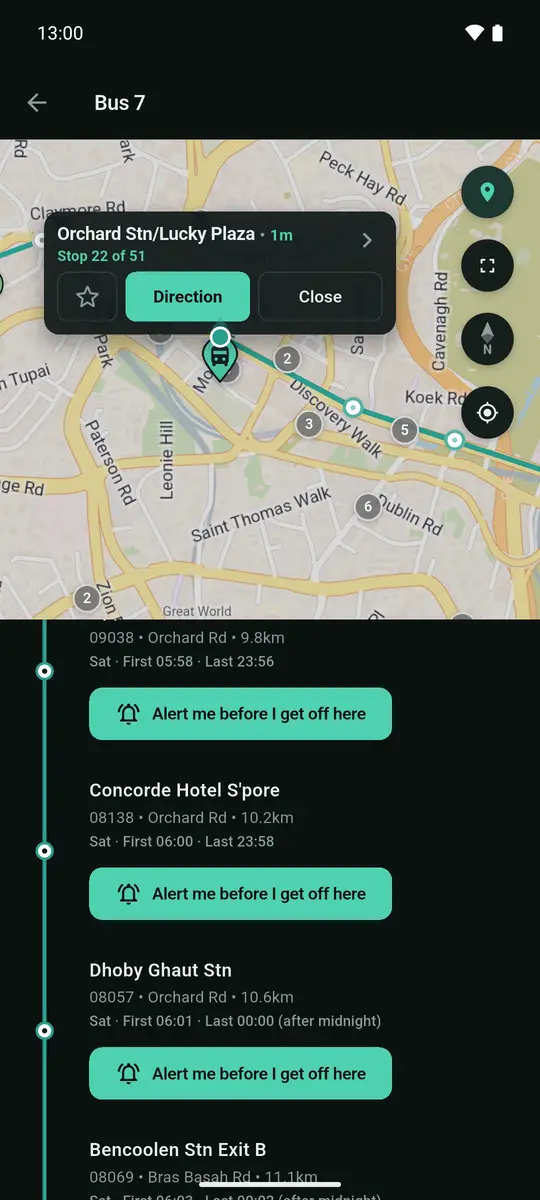
Tap your bus stop, then tap the bus you are taking. Its route opens with every stop in order. You can also search the bus number.
Tap the stop you get off at
Every stop after the one you board at carries “Alert me before I get off here”. Tap it on your stop.
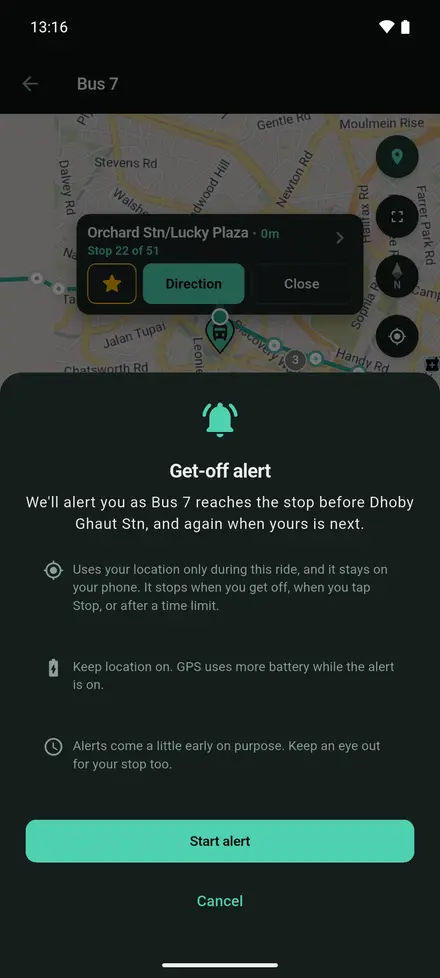
Tap “Start alert”
A short note explains how location is used. Start the alert and put your phone away.
Get off when it tells you
“Get ready: Bus 7” arrives as the bus reaches the stop before yours. “Press the bell” arrives when yours is next.
See it in the app
The ride in your notifications 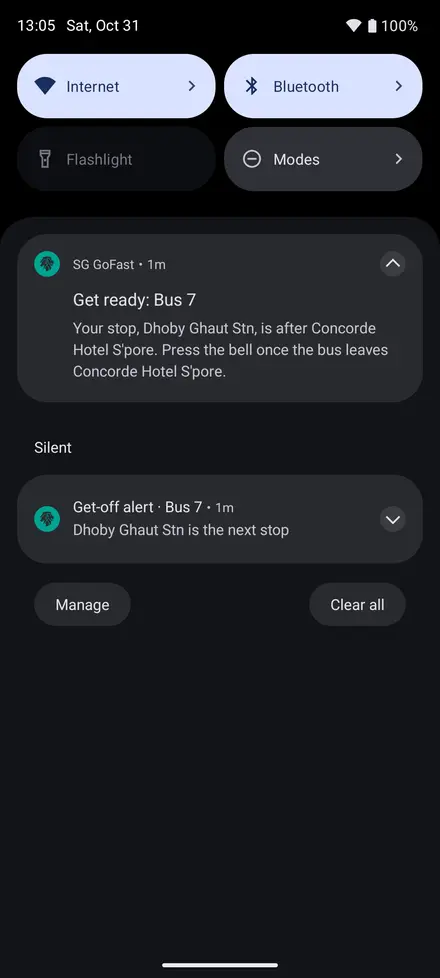
“Get ready” at the stop before 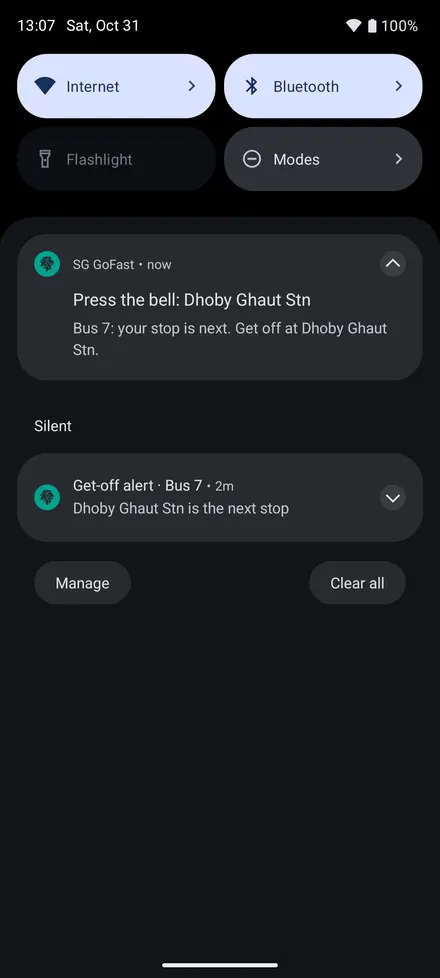
“Press the bell” when yours is next 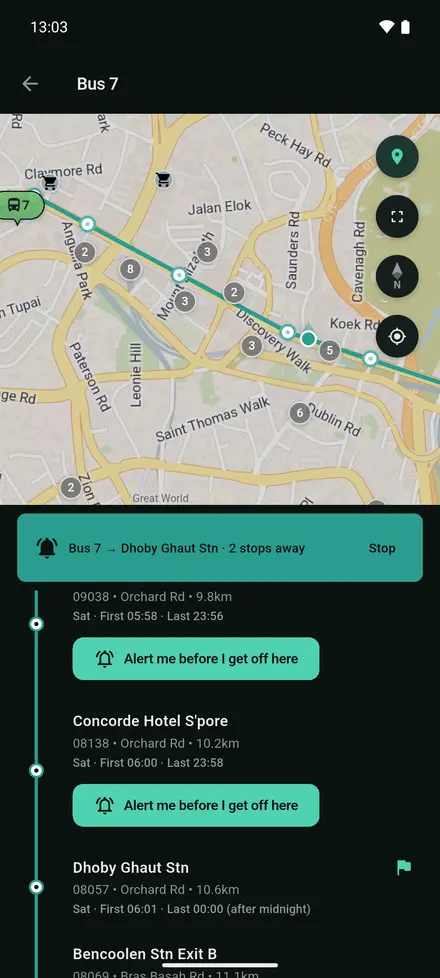
The ride in the app
What it does, and what it doesn't
Location only for this ride
The alert uses your location only during this ride, and it stays on your phone. It stops when you get off, when you tap Stop, or after a time limit.
A little early, on purpose
Both alerts come slightly ahead of the stop so you have time to move to the door. Keep an eye out for your stop too.
If the bus passes your stop
You are told “You may have passed” your stop, with the next stop to get off at and head back.
Battery and accuracy
GPS uses more battery while the alert is on, so keep location on just for the ride. Allow precise location: with approximate location the alert can come a whole stop late.
On Android and iPhone
Android
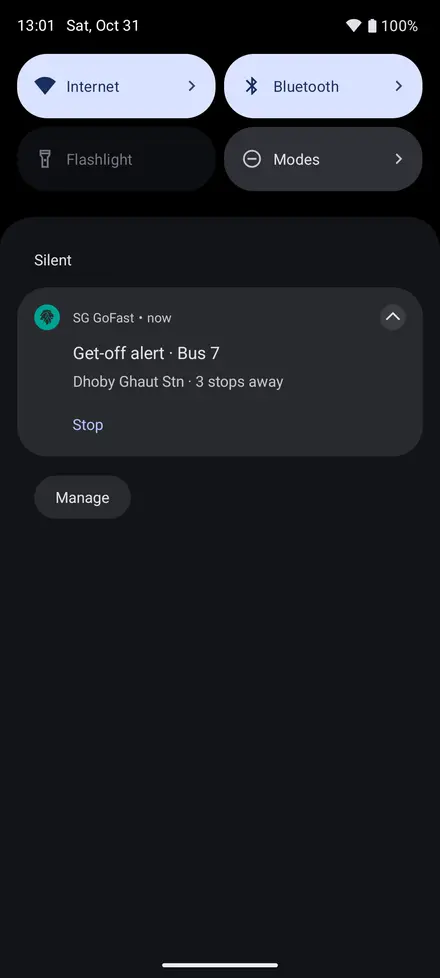
An ongoing notification shows your stop and how many stops away it is, with a Stop button, and keeps working with the screen locked. Battery Saver can pause location with the screen off, so turn it off for the ride if you can.
iPhone
iOS shows its location indicator while the alert runs, and SG GoFast shows a strip with a Stop button. Leave the app open in the background: swiping it away stops the alert.
Questions people ask
How do I get an alert before my bus stop?
Open the route of the bus you are on in SG GoFast, tap “Alert me before I get off here” on your stop and tap Start alert. You are alerted as the bus reaches the stop before yours, and again when yours is next.
Does the get-off alert work with my phone locked?
Yes. On Android an ongoing notification keeps it running with the screen off. On iPhone, leave SG GoFast open in the background; swiping the app away stops the alert.
Does SG GoFast track my location?
Only during the ride you set the alert for, and your position stays on your phone. The alert stops when you get off, when you tap Stop, or after a time limit.
What if I set the alert before the bus comes?
That works. If the bus does not seem to leave with you within 45 minutes, the alert ends and asks you to set it again once you are on board.
One app for getting around Singapore
Get SG GoFast
Free on Android and iPhone, in English, 中文, Bahasa Melayu and தமிழ்.